


TV Remote Control Universal
4.616.00 Reviews
App Specs
- Version
- 1.2.1
- Updated On
- License
- Free
- Downloads
- 100,000+
- Developer
- 8 square
- Categories
- House & Home
- Platform
- Android
Screenshots
 Analysis by AppCompare
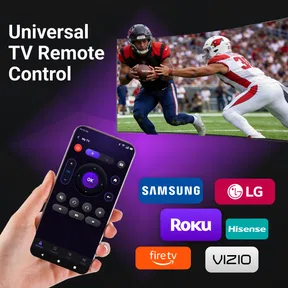
I judge a TV remote app by what it can simplify without making ordinary viewing harder. TV Remote Control Universal is aimed at people who use a Roku TV, LG, Samsung, Vizio, TCL, or Fire TV and would like a phone-based way to manage the screen. Its appeal is straightforward: one app can be easier to reach than a misplaced remote. The trade-off is that a phone is not automatically a reliable replacement for every television’s original controls, so compatibility and connection are what matter most.
In day-to-day use, I’d treat it as a convenient backup first and a possible regular remote second. That distinction matters: if the phone and TV connect smoothly, reaching for the app can feel natural; if setup or network conditions get in the way, the physical remote remains the simpler option. I would try the controls I use most before relying on it for a whole evening of watching.
What to check before settling in
Start by confirming that the television you want to control is one of the models or brands the app is intended for. The app is developed by 8 square, and its focus is home TV control rather than being a general-purpose smart-home hub. That narrower purpose is useful when choosing it: I would not install it expecting to control unrelated household equipment.
Also think about where you use your TV. If it is in a shared living room, a phone remote can save time when the usual handset has gone missing, but it may be less convenient when several people want to use the television. A dedicated remote can be passed around without asking anyone to unlock or hand over a phone. That small social difference is easy to overlook until movie night.
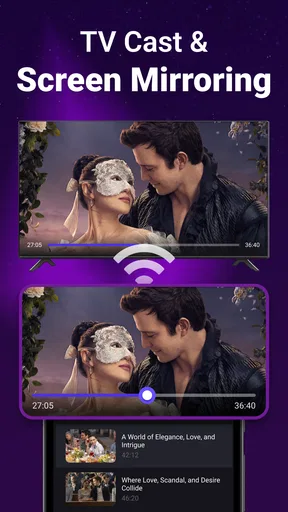
For Roku owners, casting is part of the app’s stated focus as well as remote control. I’d consider that most useful when I already have something on my phone that I want to put on the TV, rather than as a reason to expect every mobile app or video format to work through it. A sensible first test is to try the particular Roku and phone combination you plan to use, then decide whether casting adds enough value to keep the app in your regular routine.
A practical test for your own setup
Before depending on a phone remote, I would test it at a quiet moment rather than when everyone is waiting for a programme to start. Try basic navigation, volume, and the controls you use to switch what the TV is showing. Then put the phone down, return to the app, and see whether it remains convenient after the screen has been locked or you have used another app. This is not about chasing a perfect setup; it is about finding out whether the phone is actually faster than searching for the original remote.
A useful household habit is to keep the physical remote in one predictable place while using the app as a fallback. That avoids turning a missing remote into a missing phone problem, and it gives you a quick alternative if the app cannot reach the TV. I would also avoid assuming that every television in a home will behave the same way just because the brand is supported. Test each set you intend to control, especially if you have more than one model.
Worth Reading Before You Choose

EA SPORTS FC Mobile 26 Is a Bigger Football Game, but It Takes Time

Flipboard Shows What News Apps Must Do Beyond the Feed

Switching to Android Auto Means Rethinking Your Driving Routine

Google Calendar Makes a Crowded Week Easier to Manage

Ludo King Makes the Most of the Minutes Between Plans

Baby Panda World Brings Quick Play to Modern Phones, but Its Game Library Feels Busy
The app is free to install, with optional in-app purchases listed from $6.99 to $24.99 per item. It has a 4.4 average from around 1,600 ratings and more than 50,000 installs. Those figures suggest that plenty of people have tried it, but they cannot tell me whether it will pair smoothly with a particular television in a particular home. I would make that initial connection test the deciding factor, not popularity alone.
Getting Started with TV Remote Control Universal
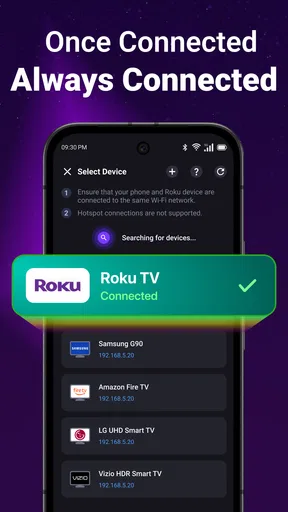
First things first, downloading and setting up the TV Remote Control Universal app is a breeze. It's available for both Android and iOS, so no one gets left out in the cold. Once you've installed the app, it guides you through a straightforward setup process. You can connect via Wi-Fi or IR blaster, depending on your device's capabilities. The app supports a wide variety of TV brands, which is a huge plus.
I was pleasantly surprised by how easy it was to pair my devices. The app automatically detected my TV and, within minutes, I was ready to ditch my traditional remote. The interface is clean and intuitive, which is something I always appreciate. No one likes fumbling around with a complicated app when all you want to do is binge-watch your favorite show.
Features Worth Mentioning
One of the standout features of this app is its versatility. It's not just limited to controlling your TV; you can also manage other smart devices in your home. From sound systems to air conditioners, this app has got you covered. It’s like having a universal remote for your entire house.
The app also allows for voice control, which is super handy. Just imagine sitting on your couch, too comfy to move, and simply telling your phone to change the channel or adjust the volume. It’s like living in the future! Plus, the app integrates with smart assistants like Alexa and Google Assistant, making it even more powerful.
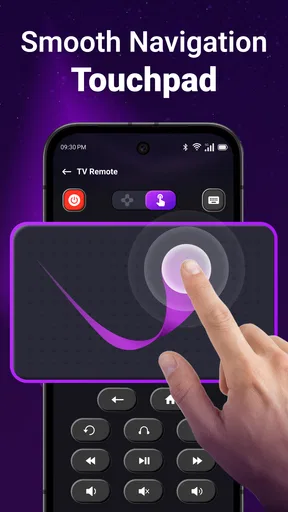
Another feature I found useful is the customizable remote layout. You can tailor the buttons to fit your specific needs, which means no more hunting for that elusive "input" button. Everything you need is right where you want it.
Performance and Reliability
Now, let’s talk performance. The app is pretty responsive, and I didn’t experience any lag while using it. Commands are executed almost instantaneously, which is crucial for any remote control app. The connection is stable, whether you're using Wi-Fi or an IR blaster.
However, I did notice that the app can be a bit of a battery drain if used for extended periods. It’s not a deal-breaker, but something to keep in mind if you're planning on using it as your primary remote control. Just make sure your phone is charged if you're settling in for a long movie night.
What the rating does—and doesn’t—tell me
The app is rated for Everyone, runs on Android 7.0 or later, and its current version is 1.1.1. It was released on March 1, 2026, so I would keep in mind that a relatively recent release may not yet reflect every long-term household scenario. For me, the useful question is not whether an app has a respectable average, but whether it works consistently with my own TV and how often I need it.
Compared with a manufacturer’s remote app, a multi-brand remote has an obvious convenience advantage if your home has televisions from different brands: you can try one place for controlling more than one supported set. The manufacturer’s own app may still be the better choice if you want brand-specific functions or already use its ecosystem. A basic physical remote is better when you need tactile buttons, don’t want to handle a phone, or share control with someone who would rather not use an app.
One practical distinction is the phone itself. Wi-Fi control is only useful when the television and phone can communicate over the home network; an IR blaster is relevant only if the phone has that hardware. Before troubleshooting the app, I’d check which method the phone can actually use and whether the TV is on the expected network. That can save time spent changing settings that cannot solve a hardware limitation.
When I would reach for it
Picture a familiar evening: you have settled onto the sofa, the TV remote is nowhere nearby, and you want to adjust the volume without interrupting everyone to search the room. A phone remote is a sensible fallback, particularly if your phone is already beside you. For Roku viewers, the casting option may also be handy when the thing you want to show starts on the phone. In either case, I would check the connection before guests arrive or a programme begins, not discover a pairing issue at the least convenient moment.
There are also reasons not to make it your only control. A phone can be charging in another room, its battery may be low, or someone else may need it. The original remote is usually more dependable for quick, repeated button presses and does not compete with calls, messages, or other phone use. If you frequently adjust picture settings or rely on buttons that are specific to your television, compare those tasks directly before deciding which remote deserves the permanent place on the coffee table.
For a household with several supported TVs, I would test one screen at a time and give each a clear name if the app offers that option. That is a general setup discipline rather than a promised feature: it prevents the wrong room becoming the source of confusion. Likewise, I’d test casting separately from ordinary remote commands. A phone may be able to control the television while a particular casting workflow does not suit your needs, so treating them as two separate reasons to keep the app gives a more honest picture of its value.
The strongest case for this app is convenience when the supported TV and phone connect without fuss. Its weakest case is a setup where the phone lacks the necessary control method, the network is unreliable, or tactile buttons matter more than having one less object on the table. I would skip it if you expect a phone app to reproduce every dedicated remote function automatically, or if the TV you use is outside the app’s intended range. In those situations, the manufacturer’s app or the physical remote is the more sensible first choice.
Final Thoughts
Overall, the TV Remote Control Universal app is a solid choice if you're in the market for a universal remote solution. It’s user-friendly, packed with features, and supports a wide range of devices. The ability to control multiple devices from one app is incredibly convenient, and the voice control functionality is an added bonus.
While it might not completely replace your traditional remote for every situation, it’s certainly a handy tool to have. If you're tired of juggling multiple remotes or just want to impress your friends with your tech-savvy setup, this app is worth checking out. So go ahead, give it a try, and enjoy a clutter-free coffee table!
My recommendation is to treat it as a practical companion, not an automatic replacement. If you own a supported TV, use your phone nearby, and are happy to spend a few minutes checking the connection and everyday controls, it could earn a place in your routine. If you need dependable physical buttons or a feature-rich control experience tailored to one brand, stick with the original remote or look at that manufacturer’s own option instead.
That makes the app most appealing to someone who values a quick backup for Roku TV, LG, Samsung, Vizio, TCL, or Fire TV and is willing to verify their own setup. Its free starting point makes trying it straightforward, though optional purchases mean I would check what is included before paying for anything. If control feels immediate and the features you actually need are present, keep it; if using the phone adds more steps than it removes, there is no reason to force it into your living room.
Pros
- Easy setup with most TV brands.
- Intuitive user interface for quick use.
- Customizable buttons for personalization.
- Works over Wi-Fi without extra hardware.
- Supports both Android and iOS devices.
Cons
- May not support older TV models.
- Occasional lag when switching channels.
- Ads can be intrusive during use.
- Requires Wi-Fi for optimal performance.
- Limited support for smart home integration.
FAQs for TV Remote Control Universal
How does the TV Remote Control Universal app work?
The TV Remote Control Universal app functions by using your smartphone's infrared (IR) blaster or Wi-Fi connection to communicate with your TV. Once installed, you can pair your device with your TV by selecting the brand and model, allowing you to control volume, channels, and other settings directly from the app.
Is TV Remote Control Universal compatible with all TV brands?
The app supports a wide range of TV brands, including popular ones like Samsung, LG, Sony, and Panasonic. However, compatibility may vary for less common brands or older models. It's advisable to check the app's compatibility list or user reviews to ensure it supports your specific TV model before downloading.
What are the main features of TV Remote Control Universal?
This app includes features such as channel switching, volume adjustment, input source selection, and power control. Some versions may offer additional features like voice commands, customizable remote layouts, and support for smart TV functions. These features aim to provide a comprehensive remote control experience directly from your smartphone.
Does the app require an internet connection to function?
The necessity of an internet connection depends on the app's functionality. If your phone uses an IR blaster to control the TV, no internet is required. However, if the app uses Wi-Fi to connect to a smart TV, an internet connection is necessary to enable communication between the devices.
Is TV Remote Control Universal free to use, or are there hidden costs?
The app is typically free to download and use, but it may include in-app purchases or ads. Some advanced features or ad-free experiences might require payment. It's important to review the app's description and user feedback for any potential costs before proceeding with the download.


